Recliner with Adjustable Headrest: A Buyer’s Guide

Two people settle into neighboring recliners. One likes the chair with the fixed headrest; the other reaches for the adjustable one, tilts it, then leans back again. The difference becomes obvious when the chair moves: a headrest that felt fine upright may leave the head unsupported once the back reclines.
That's why a recliner with adjustable headrest deserves more than a quick glance at the feature tag. Its comfort depends on how the headrest works with the back, lumbar area, and footrest, and whether the controls suit the person using the chair. At BILTRITE, a fourth-generation, family-owned furniture business serving Metro Milwaukee since 1928, shoppers can try these positions in person, without pressure to buy online. The useful test is simple: sit upright, lean back, and notice whether the chair supports the head or leaves the neck doing the work.
Table of Contents
- Why the Headrest Matters More Than You Think
- From Camp Beds to Powered Headrests
- How an Adjustable Headrest Supports Your Neck
- Manual vs Power Headrest Adjustments
- Recliner Geometry That Actually Feels Right
- Pairing an Adjustable Headrest With Lift Chairs and Heavy-Duty Frames
- Your Showroom Test Plan in 7 Sits
- Safety Habits Every Adjustable Headrest Buyer Should Plan For
Why the Headrest Matters More Than You Think
In a showroom, couples often discover that they don't agree on head support. One person wants the headrest tilted forward for reading, while the other prefers it farther back for watching television. Neither preference is wrong. The right setting depends on the user's height, the chair's shape, and how far the back reclines.
A headrest isn't just a soft cushion at the top of a chair. When the back moves, the head moves with it, and the support needs to keep pace. If the headrest stays too far back, the user may have to hold the head forward to see the screen. If it pushes too far forward, the chin may tuck toward the chest.
This matters most when a recliner gets used for more than a quick sit. Reading, watching a game, and relaxing in the evenings all call for slightly different positions. The headrest should make those changes easier, not force the user to choose between a supported head and a comfortable back angle.
At BILTRITE, the practical recommendation is to test the full chair, not judge the headrest by itself. Try it upright and fully reclined, then adjust the headrest at each angle. That hands-on comparison will tell more than a feature label can.
From Camp Beds to Powered Headrests
The recliner's story began well before powered controls. Around 1850, French designers introduced a reclining camp bed that could work as a chair, bed, or chaise longue. In the United States, cousins Edward Knabusch and Edwin Shoemaker patented a wooden recliner in 1928, followed by an upholstered mechanical recliner in 1930. The history of the recliner shows how the basic idea of coordinated back and leg support developed over time.
Headrest adjustment followed a related but separate path. Patent records identify a chair headrest patent in 1926, an upholstered chair with an adjustable headrest in 1957, a reclining-chair headrest construction in 1962, a powered articulated system in 1984, and a recliner with a pop-up headrest in 1994. The result isn't one standard mechanism. Today's adjustable headrests can move in different ways, which is why shoppers should test the movement rather than assume every model offers the same fit.
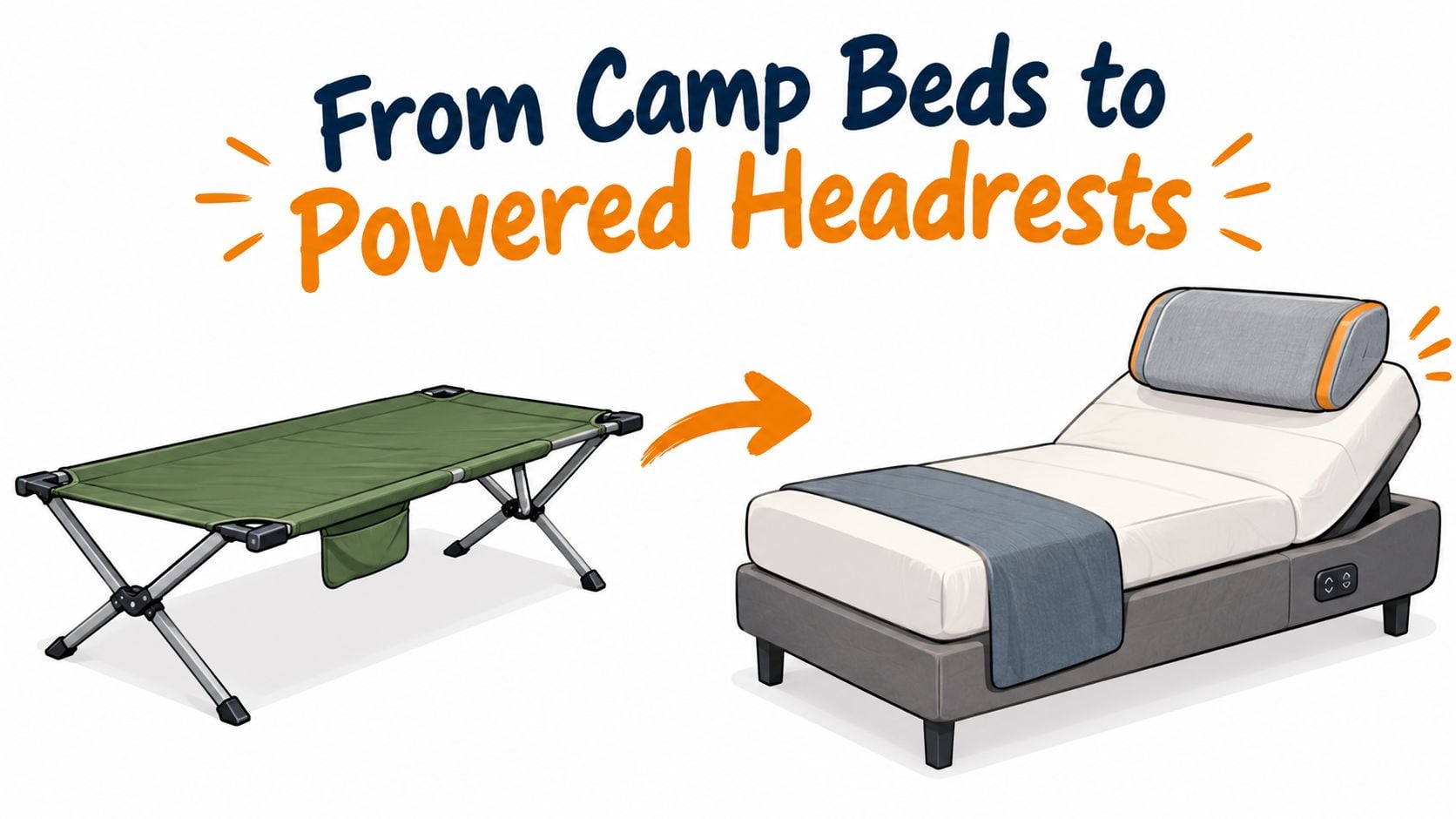
That long timeline is part of what makes the feature feel like more than a small upgrade. The reclining mechanism and the adjustable headrest evolved along parallel tracks, then came together in seating designed to support more than one sitting angle.
BILTRITE has served the Metro Milwaukee community since 1928, the same year the wooden recliner patent was filed. Today, the family-owned showroom brings that long furniture history into a practical setting: customers can compare different motion mechanisms by sitting in them, not by guessing from a tag.
How an Adjustable Headrest Supports Your Neck
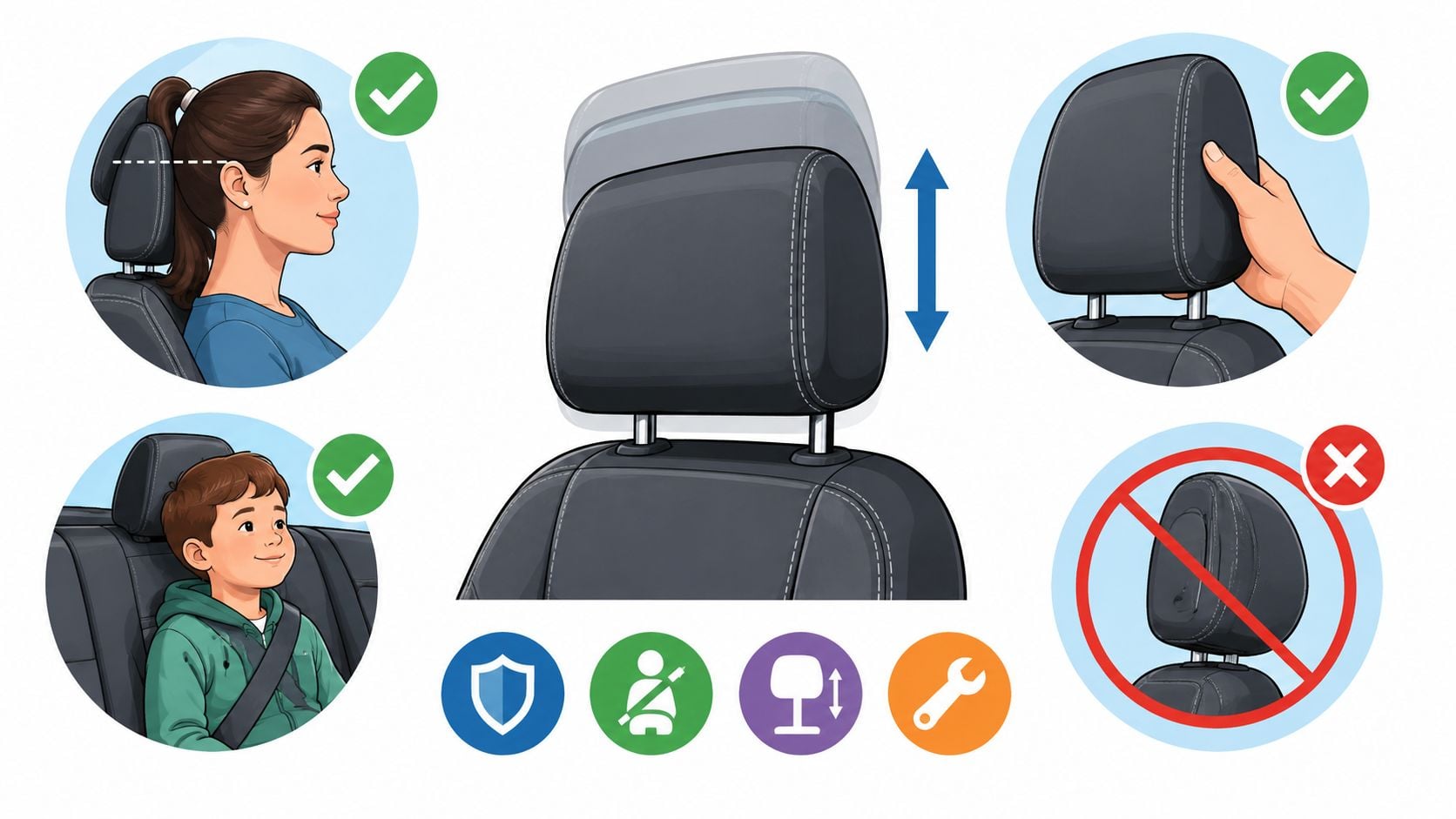
When a recliner leans back, the head's position shifts with the backrest. Without suitable support, the neck muscles may have to keep the head steady. A well-positioned headrest meets the back of the head, around the occiput or upper neck, without pushing the chin down or forcing the head forward.
Cornell University's ergonomics summary cites research in which a reclined posture with a headrest reduced neck muscle activity by more than 35% and back muscle activity by more than 64%, without reducing typing accuracy. The guidance also notes that height adjustment is needed to position support for different users. Cornell's ergonomics summary makes a useful point for recliner shoppers: support has to meet the person where they are, not just look comfortable on the showroom floor.
Try this simple check. Sit with your hips against the back cushion, recline to the angle you'd use at home, and let your head rest naturally. Ask yourself whether the chair is holding your head, or whether your neck muscles are still working to keep it in place. If the headrest is too low, it may miss the neck; if it's too high, it can press at the base of the skull.
Showroom rule: Adjust the headrest until it supports your head without changing the way your chin naturally rests.
For a starting point, a 2024 biomechanics summary reported that an ergonomic chair headrest may need about 65–75 centimeters of height range to accommodate different users comfortably. It also reported that about 6.5 inches of vertical travel and 3 inches of horizontal travel supported at least 95% of users. Those measurements aren't a guarantee that a recliner will fit everyone, but they're a reason to ask how far a headrest moves. For related seating advice, see BILTRITE's guide to recliners for back support.
Manual vs Power Headrest Adjustments
Manual and power headrests can both be useful. The better choice depends on how often the user changes position and whether they can comfortably adjust the mechanism by hand.
A manual headrest usually works well for someone who prefers to set the support once before settling in. It also avoids relying on an additional motor. A power-adjustable headrest lets the user fine-tune its position while seated, which can be helpful for people with arthritis, shoulder limitations, or a caregiver who can't easily reach behind the user to reposition a manual mechanism.
The movement matters as much as the control. An experimental study of a headrest used with a shoulder-assist device compared sliding, reclining, and combined sliding-and-reclining designs. The combined design produced the strongest reduction in neck muscle strain among those tested. The equipment was designed for overhead work, not living-room seating, but the mechanical lesson is practical: more than one direction of movement can make it easier to match head support to posture. The study on movable headrest design is a useful prompt to ask whether a recliner's headrest adjusts in more than one way.
| Control Style | How It Moves | Best For | Showroom Question to Ask |
|---|---|---|---|
| Manual | The user repositions the headrest by hand. | Someone who sets a position and leaves it there. | Can it be adjusted while seated, or do I need to sit forward? |
| Power | A control moves the headrest while the user remains seated. | Someone who changes position often or has difficulty reaching the mechanism. | Does the headrest move independently from the main recline? |
The same 2024 summary reported that 88% of participants rated the headrest comfortable or very comfortable. Treat that as a finding from the summarized testing, not a promise about every recliner. The best way to judge comfort is still to try the chair with the headrest at the position the user would choose. For a closer look at motion options, read about power reclining seating.
Recliner Geometry That Actually Feels Right
A headrest can't rescue a chair that doesn't fit the body. Comfort comes from the way the backrest, headrest, lumbar area, and footrest work together. Adjust one part without checking the others, and the result may feel awkward even if the headrest itself has plenty of movement.
A peer-reviewed recliner study identified a backrest angle of about 125° relative to a horizontal reference and a 60° footrest angle as favorable short-term comfort settings for young adults. The study also proposed pairing the reclined backrest with an adjustable headrest. The recliner-angle study offers a starting point, not a universal setting for every body or activity.
In the showroom, recline until your shoulders and pelvis feel supported. Raise the footrest and see whether your legs rest comfortably, then adjust the headrest so it meets the back of your head without pushing your chin toward your chest. Keep your shoulders against the backrest. If you need to slide forward or crane your neck to see ahead, the fit deserves another look.
Reclining also changes where the chair supports your body. Pressure-distribution research reports that support shifts away from primarily sitting-bone loading toward the lumbar and thoracic areas as the chair reclines. That makes it important to test the headrest at the angle you plan to use, rather than assume it will follow the back in a way that suits you.
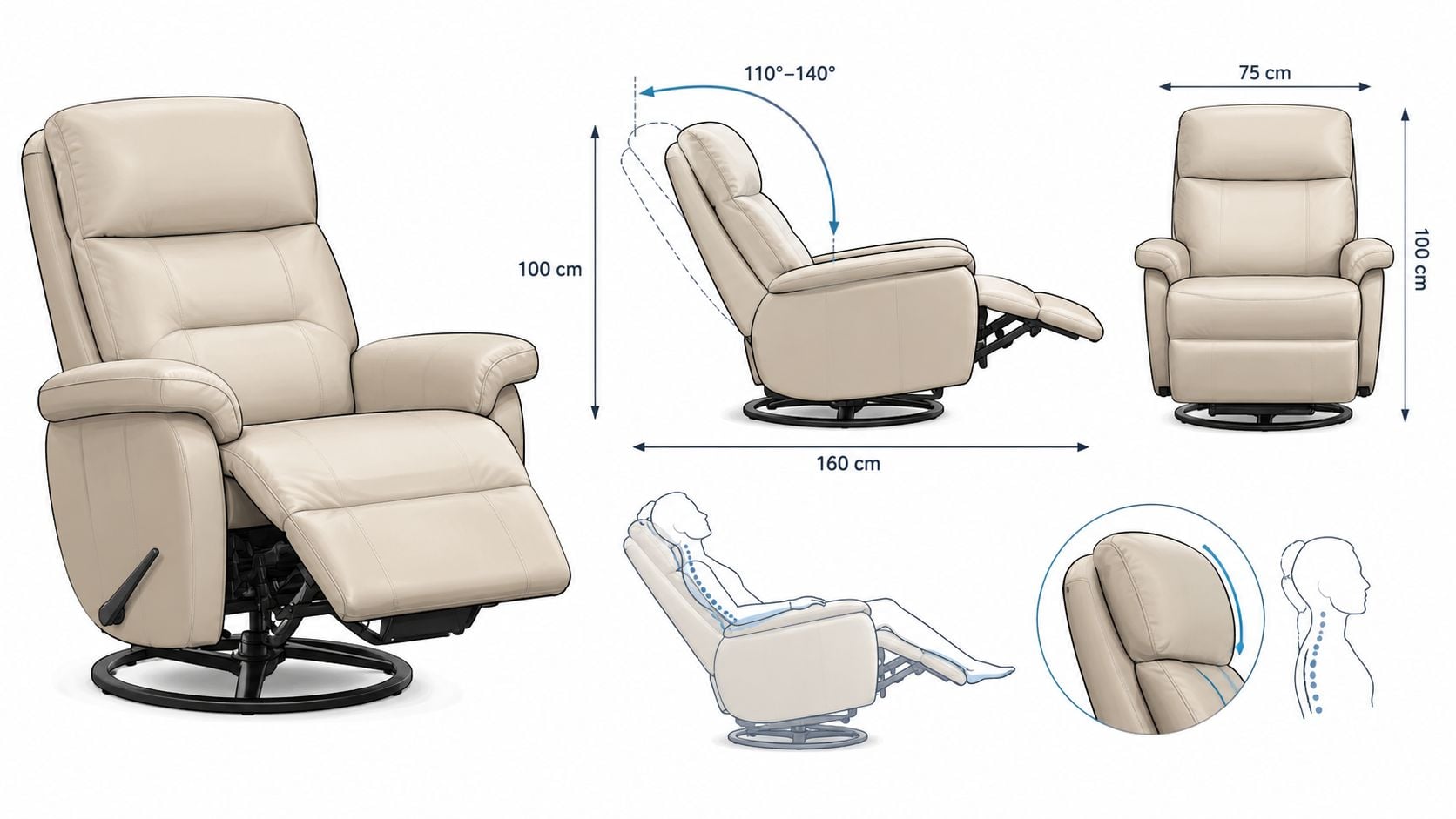
The angle findings came from short-duration testing with young adults, so don't treat the numbers as a prescription. Taller users, older adults, and families sharing one chair should each try their own position. A comfortable fit is the one that supports the body without requiring a person to brace, stretch, or hold the head in place.
Pairing an Adjustable Headrest With Lift Chairs and Heavy-Duty Frames
A lift chair has to support the whole move from sitting to standing. In the Greenfield showroom, have the intended user operate the controls, recline, return upright, and rise. Check that their feet rest securely, the armrests feel firm under their hands, and the controls are within easy reach. A power recliner does not necessarily lift, and an adjustable headrest alone cannot make standing safer. For models designed with older adults in mind, see BILTRITE's guide to lift chairs for seniors.
The headrest, back angle, lumbar support, footrest, and lift function work as one seating system. Test them together, not as separate features. As the chair reclines, make sure the headrest supports the user without pushing their chin down, while the back and footrest stay comfortable. Then check whether the chair returns to a position that lets them stand using the armrests.
A comparative study of senior furniture found that more than 60% of seniors across the examined age groups wanted an armchair that allowed comfortable reclining. It also found that 76% of people aged 60 and older said armrests made sitting down and standing up easier, and most seniors in the countries studied preferred a backrest that reached above the head. The senior-furniture study supports a practical rule: judge the complete chair, not just the headrest.
For a larger user, check the chair's stated capacity and BILTRITE's lift-chair weight capacity information. Match the rating to the user, then test the seat width, frame, arms, and back together in Greenfield. BILTRITE carries different sizes and configurations, including heavy-duty options.
Wisconsin shoppers should also know that power lift recliners are exempt from sales tax. That may affect the final cost, but it does not replace a hands-on fit check. Choose the chair that supports the user through sitting, reclining, and standing.
Your Showroom Test Plan in 7 Sits
Skip the spec-sheet-only approach. A useful showroom visit means testing the positions the chair will be used for, with the person who'll sit in it.
- Sit upright for reading. Check whether the back supports you and the headrest stays out of the way.
- Recline for television. Adjust the headrest and see whether you can look forward without lifting your head.
- Try a deeper recline. Notice whether the headrest still meets your head and whether your lower back stays supported.
- Move the headrest. Try each available adjustment. Does it move easily, and can you reach the control comfortably?
- Raise and lower the footrest. Check whether your legs feel supported without the chair pressing uncomfortably behind your knees.
- Return upright and stand. Use the armrests, not the headrest or footrest, to help you get up.
- Sit again and pause. Close your eyes for a moment. Notice whether the chair is supporting you or whether you're holding your posture yourself.
Bring a short checklist: headrest travel, lumbar support, armrest firmness, footrest comfort, control reach, and base stability.
At BILTRITE, shoppers can also look for the in-store icons that identify USA-made, Amish-made, solid-wood, and heavy-duty furniture. Those labels help explain construction and origin while the chair is right in front of you. The recliner buying guide can help with other questions to consider before visiting.
Safety Habits Every Adjustable Headrest Buyer Should Plan For
A recliner can move smoothly and still be unsafe if the user stands before it returns upright. AARP, citing U.S. Consumer Product Safety Commission data, reports about 17,000 emergency-room visits annually among adults aged 65 and older after falls from recliners. For this group, the reported injury rate was 32.6 per 100,000, more than 12 times the rate for adults aged 25–64. AARP's guidance on home hazards includes safe recliner use among home-safety concerns.
The U.S. Consumer Product Safety Commission reported a recall involving wall-saver power-reclining furniture that could tip forward if someone got out while it was reclined. The manufacturer received five dealer reports of forward tipping, with no injuries reported in that recall. Make the sequence a habit: return the chair fully upright, then stand, especially with the footrest extended.
Check the chair's surroundings before choosing its place at home:
- Return upright before standing. Wait until the chair finishes moving before getting up.
- Keep the area clear. Allow room for the chair to move and for the user or caregiver to approach safely.
- Place controls within reach. The intended user should be able to operate the remote without leaning or stretching.
- Review the room layout. Keep the chair away from hazards such as stairs and slick rugs, and leave space for a caregiver to help when needed.
A powered lift chair may help some users, while weakness, mobility limitations, or cognitive decline can call for a home-safety assessment. Bring the intended user to the Greenfield showroom when possible. Have them use the controls and return the chair upright, then check whether they can reach the controls and complete the movement safely. For larger users, review the chair's stated capacity and lift-chair weight guidance.
Before choosing a spot, check the path between the chair and the nearest exit, and make sure rugs or nearby furniture will not obstruct the user or caregiver. Practice the full return-to-upright and standing sequence in the showroom, not just the headrest adjustment. That small rehearsal can expose a control or access problem before the chair comes home. BILTRITE is a fourth-generation, family-owned, buy-local business serving Metro Milwaukee since 1928. The showroom is closed on Sundays and Mondays so the team can spend time with family.
BILTRITE Furniture-Leather-Mattresses offers recliners, lift chairs, small-scale seating, and heavy-duty options to compare in person. Visit BILTRITE Furniture-Leather-Mattresses at 5430 West Layton Avenue in Greenfield to sit, adjust the chair, and ask the team questions.